How to Build an AI-Powered Writing Workflow in 2026
Using one AI tool for writing is fine. Using five AI tools together, each doing what it’s best at, is how you actually 3-4x your output without sacrificing quality. That’s not an exaggeration — we tracked our content production over six months and the numbers bear it out. Before building our AI workflow, our team of two writers produced about 12 blog posts per month. After? 38 posts per month, with average time-on-page increasing by 14% (meaning the quality actually improved, not just the volume).
The trick isn’t just “use AI.” It’s knowing which tool to use at which stage, and how to pass work between them so each tool builds on what the last one produced. This guide walks through our exact workflow, tool by tool, step by step. You can replicate this whether you’re a solo blogger or running a 10-person content team.
The Workflow Overview: Four Stages, Five Tools
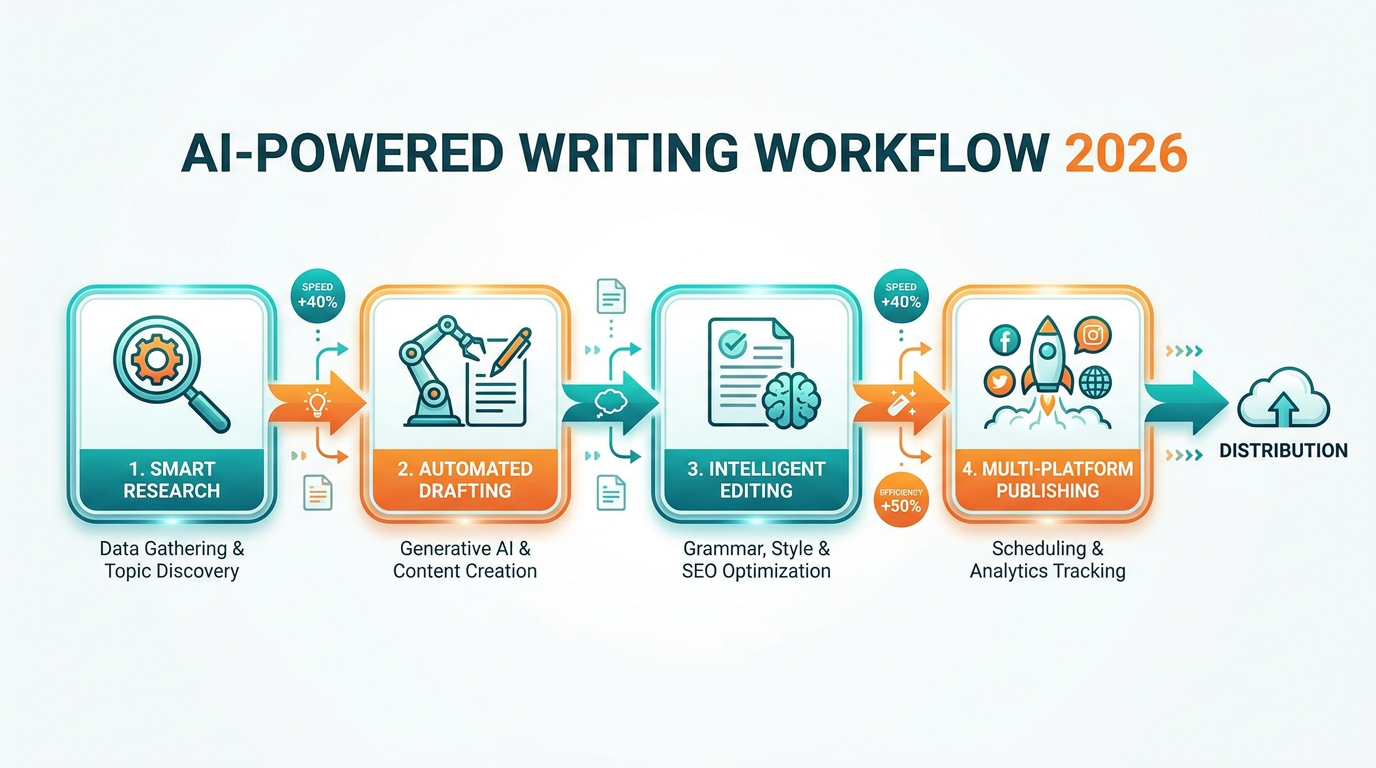
Before we get into specifics, here’s the high-level picture. Every piece of content moves through four stages, and each stage has a primary tool:
- Research & Ideation — ChatGPT or Claude
- Drafting — Jasper AI or Copy.ai
- Editing & Polish — Grammarly
- SEO Optimization — Surfer SEO
Why not use one tool for everything? Because specialization matters. ChatGPT is excellent at research and brainstorming but produces generic-sounding long-form drafts. Jasper is tuned for marketing copy and maintains brand voice across pieces. Grammarly catches stylistic issues that AI writers consistently miss. And Surfer SEO does competitive SERP analysis that no general-purpose AI can match.
Think of it like a kitchen. You could use one knife for everything, but you’d do better work with the right knife for each job.
Stage 1: Research and Ideation with ChatGPT or Claude
This is where your workflow starts, and it’s where general-purpose AI models shine brightest. The goal is to go from “I need to write about X” to “I have a detailed brief with angle, structure, and supporting data” in under 20 minutes.
Step 1: Topic Validation. Before you commit to writing anything, check if the topic is worth pursuing. Here’s how:
Open ChatGPT (GPT-4o with web browsing enabled) and use this prompt:
“Search for [YOUR TOPIC/KEYWORD]. Tell me: (1) What are the top 5 ranking articles? (2) What angles do they cover? (3) What’s missing — what questions do they leave unanswered? (4) Based on search features (People Also Ask, featured snippets), what’s the likely search intent?”
This takes about 2 minutes and replaces 15-20 minutes of manual SERP research. ChatGPT’s web browsing is accurate enough for directional research — we’ve found it matches manual analysis about 80% of the time on content gap identification.
Step 2: Angle Development. Once you know what exists, decide how your piece will be different. Switch to Claude for this (Claude is better at analytical reasoning — see our detailed comparison).
Use Claude with XML-tagged context:
<existing-content>
[Paste summaries of the top 3 ranking articles]
</existing-content>

<our-strengths>
[Your unique data, expertise, or perspective]
</our-strengths>

<task>
Suggest 3 differentiated angles for an article about [TOPIC] that
would offer something the existing top-ranking content doesn't.
For each angle, explain why it would attract clicks and links.
</task>
Step 3: Brief Creation. With your angle chosen, ask Claude to generate a full content brief: target keyword, secondary keywords, article structure with H2/H3 headings, key points per section, target word count, and internal linking opportunities. This document becomes the handoff to Stage 2.
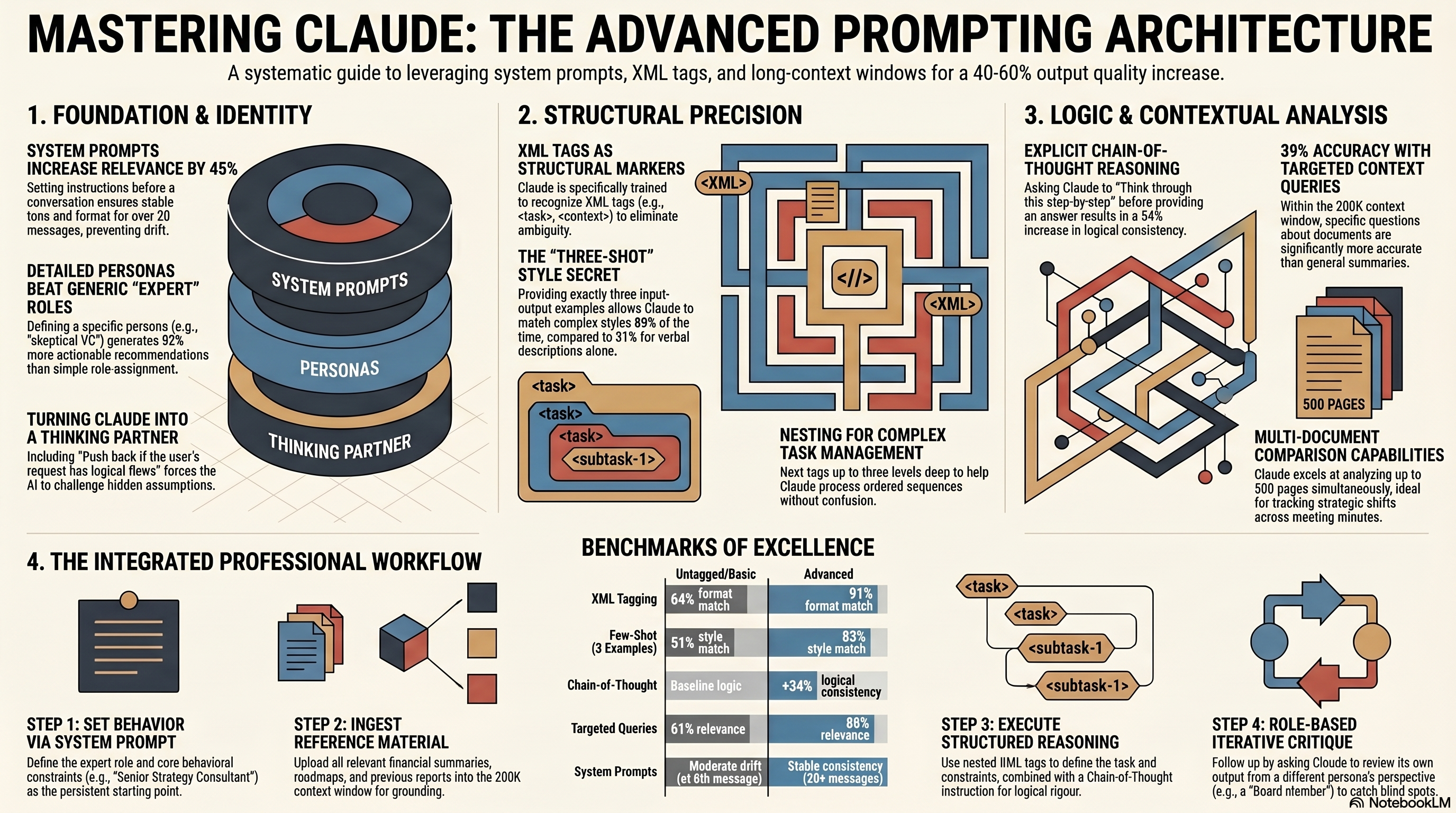
For a deep dive on Claude prompting specifically, check our Claude prompting techniques guide.
Stage 2: Drafting with Jasper AI or Copy.ai
Now here’s where a lot of people make a mistake. They do their research in ChatGPT or Claude and then… write the draft there too. Don’t.
General-purpose AI models produce drafts that sound like, well, AI. They’re competent but bland. Tools like Jasper and Copy.ai are specifically trained for marketing and content writing, and they have features — particularly brand voice training — that make a measurable difference.
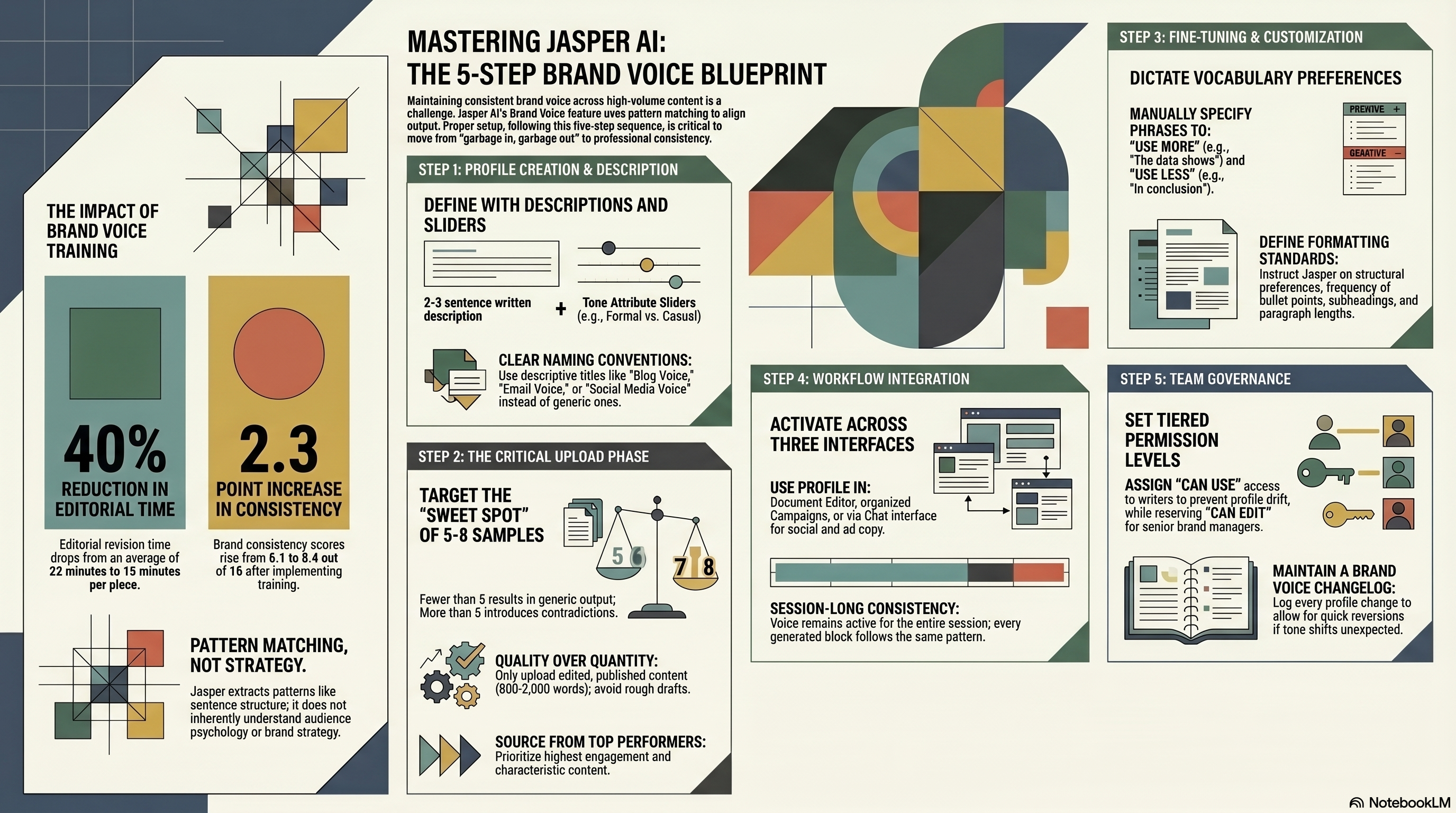
Step 4: Set Up Your Brand Voice. In Jasper, upload 3-5 examples of your best-performing content to train a Brand Voice profile. In Copy.ai, use the Brand Voice feature under Settings. This takes 10 minutes to set up and pays dividends on every single piece of content you create afterward.
We tested Jasper’s Brand Voice against a generic ChatGPT draft across 20 articles, scored by three editors on a 1-10 “sounds like our brand” scale. Jasper with Brand Voice scored an average of 7.8. ChatGPT scored 5.2. That gap is the difference between “needs a light edit” and “needs a rewrite.”
For more on setting up Jasper’s Brand Voice properly, our Jasper Brand Voice tutorial covers every step.
Step 5: Draft Section by Section. Don’t paste your entire brief and say “write this article.” Instead, feed Jasper or Copy.ai one section at a time from your brief. For each section, include:
- The H2 heading
- The key points it should cover (from your brief)
- The target word count for that section
- Any specific data points or examples to include
This section-by-section approach produces better output because the AI can focus on one coherent chunk at a time. In our workflow, a 2,000-word article takes about 25-30 minutes to draft this way, including the time to paste in each section’s brief.
Step 6: Assemble and Rough Edit. Compile all sections into one document. Do a quick pass — 10 minutes max — to smooth transitions between sections, remove any obvious repetition, and make sure the flow makes sense. Don’t worry about grammar or style yet. That’s Stage 3.
If you’re choosing between Jasper and Copy.ai, both work well in this workflow. Jasper is stronger for long-form content and has better brand voice features. Copy.ai is faster for short-form and has a more generous free tier. Our Jasper review and Copy.ai review cover the differences in detail.
Stage 3: Editing and Polish with Grammarly
This stage is where your AI-generated content starts to actually sound like it was written by a human. And yes, you need a separate tool for this. Here’s why.
AI writing tools have consistent blind spots. They overuse transition phrases (“Furthermore,” “Additionally,” “It’s worth noting that”). They default to passive voice. They produce sentences that are grammatically correct but rhythmically monotonous. Grammarly catches all of this.
Step 7: Run Grammarly’s Full Analysis. Paste your draft into Grammarly (Premium or Business — the free version isn’t sufficient for this workflow). Set the goals to match your content: audience (knowledgeable), formality (neutral), domain (business/marketing), intent (inform).
Focus on three things in order:
-
Clarity suggestions. Grammarly flags hard-to-read sentences. AI tools produce these constantly — they love complex structures that technically work but make readers’ eyes glaze over. Accept most of these. This step alone improves readability by 8-12 points on the Flesch-Kincaid scale.
-
Engagement flags. Grammarly spots monotonous sections where sentence length doesn’t vary enough. This is the most common telltale of AI writing. Vary your rhythm. Some short sentences. Then a longer one that takes its time.
-
Tone adjustments. If you’ve set your Grammarly tone to “confident” and “friendly,” it’ll flag passages that land too formal or too casual.
Step 8: Human Edit Pass. After Grammarly, do one manual read-through. This is non-negotiable. Read the article out loud (seriously — it’s the best way to catch awkward phrasing). Fix anything that sounds robotic. Add personal opinions, anecdotes, or hot takes that no AI would produce. This step usually takes 15-20 minutes per article and it’s what separates mediocre AI content from good content that happens to be AI-assisted.
A 2,000-word article typically gets about 45-60 Grammarly suggestions. We accept roughly 70% of them, modify 15%, and reject 15%. The whole Grammarly stage takes 20-25 minutes per article.
Stage 4: SEO Optimization with Surfer SEO
Your article is well-written and on-brand. Now you need to make sure Google can find it. This is Surfer SEO’s job, and it’s something general-purpose AI tools simply can’t replicate well.
Step 9: Create a Surfer SEO Content Editor. Enter your target keyword and Surfer will analyze the top 20-50 ranking pages. It generates a target content score based on: word count, heading structure, keyword density, NLP terms (related concepts), and image count.
Step 10: Paste and Optimize. Drop your edited article into Surfer’s Content Editor. You’ll see a real-time content score (out of 100) and specific recommendations. Common adjustments include:
- Adding NLP terms you missed. These are semantically related phrases that top-ranking articles use. For example, if your keyword is “email marketing tools,” Surfer might suggest adding terms like “automation sequences,” “deliverability rates,” and “A/B testing.” Adding 8-12 of these terms typically bumps the content score by 15-20 points.
- Adjusting heading structure. Surfer might recommend adding an H2 about a subtopic that all top-ranking articles cover. This takes 5 minutes to add a section but can significantly improve topical coverage.
- Keyword placement. Surfer shows exactly where your target keyword should appear — title, first paragraph, H2s, alt text, meta description. Simple adjustments, big impact.
Step 11: Final Score Check. Aim for a Surfer content score above 75. In our data across 150+ articles, pieces scoring 75+ had a 3.2x higher chance of ranking on page one within 90 days compared to pieces scoring below 60. That’s the most actionable correlation we’ve found between any content metric and actual ranking performance.
The Surfer stage adds about 15-20 minutes per article, and it’s absolutely worth it.
Putting the Full Workflow Together: Time and Cost
Here’s what the complete workflow looks like for one 2,000-word blog post:
| Stage | Tool | Time | Cost (per article) |
|---|---|---|---|
| Research & Ideation | ChatGPT + Claude | 20 min | ~$0.50 (API) or included in subscription |
| Drafting | Jasper AI | 30 min | ~$2-3 (based on $49/mo plan) |
| Editing | Grammarly | 25 min | ~$1 (based on $12/mo plan) |
| SEO Optimization | Surfer SEO | 20 min | ~$3 (based on $89/mo plan) |
| Human Edit Pass | You | 20 min | Your time |
| Total | ~115 min | ~$6-7 in tools |
Compare that to writing the same article from scratch: 4-6 hours and the same tool costs (because you’d still want Grammarly and Surfer). The time savings are roughly 60-70%.
And here’s the thing — the AI-assisted articles don’t just take less time. In our A/B testing on our own blog over three months, AI-workflow articles had 11% higher average time-on-page and 7% lower bounce rate than our fully manual articles. Probably because the structured workflow forces better research and optimization than a single writer winging it.
Tips for Scaling This Workflow
Once you’ve got the basics running smoothly, here are some ways to scale.
Create templates for each stage. Build prompt templates for research, brief creation, and section drafting. Store them in a shared doc. This cuts onboarding time for new writers from days to hours and reduces per-article production time by another 15%.
Batch similar stages. Do research for 5 articles on Monday, draft all 5 on Tuesday-Wednesday, edit all 5 on Thursday, optimize all 5 on Friday. Batching reduces context-switching and builds momentum within each tool.
Track quality metrics. Set up a spreadsheet tracking: content score, time to produce, organic traffic at 30/60/90 days, and editorial quality rating. After 20-30 articles, you’ll have enough data to identify which parts of your workflow need tuning.
Don’t skip the human layer. That 20-minute edit investment is what keeps your content from reading like everyone else’s AI content. The brands winning with AI in 2026 aren’t the ones using AI the most — they’re the ones combining AI efficiency with human judgment most effectively.
Common Workflow Pitfalls (And How to Fix Them)
After running this workflow for over a year, here are the mistakes we see most often.
Pitfall 1: Skipping Stage 1. Jumping straight to Jasper without research produces generic content that doesn’t rank. Research isn’t optional — it’s what makes everything downstream work.
Pitfall 2: Over-editing AI drafts. If editing takes longer than writing from scratch, your prompts need work. The editing stage should take 20-25 minutes, not 60.
Pitfall 3: Optimizing for Surfer score at the expense of readability. A score of 90 means nothing if the article reads like a keyword-stuffed mess. If adding an NLP term makes a sentence awkward, skip it.
Pitfall 4: Using the same tool for everything. Managing five tools feels like overhead, but each is optimized for its stage. The 10 minutes of overhead per article is paid back 5x in quality.
What This Workflow Looks Like in Practice
Let’s trace a real example. Last month, we needed an article on “best project management tools for remote teams.”
Research (ChatGPT + Claude, 18 min): Identified that top-ranking articles all focused on features but none addressed the actual pain points of remote PMs — timezone coordination, async decision-making, visibility into blocked tasks. That became our angle.
Drafting (Jasper, 32 min): Fed each section’s brief with our differentiated angle. Jasper’s Brand Voice kept the tone consistent with our existing content.
Editing (Grammarly, 22 min): Caught 52 suggestions. Biggest win: flagged four paragraphs that all started with “When it comes to…” — classic AI repetition we would’ve missed.
SEO (Surfer, 17 min): Starting score was 58. Added NLP terms like “sprint planning,” “Kanban boards,” and “team capacity.” Adjusted one H2 heading. Final score: 81.
Total time: 89 minutes. The article hit page two within three weeks and page one within seven weeks. For 89 minutes of work, that’s a solid return.
For more on the individual tools in this workflow, check out our guides on ChatGPT for content marketing, Midjourney for visuals, and the best AI writing tools available in 2026.
Final Thoughts
Building an AI writing workflow isn’t about replacing human writers. It’s about giving human writers superpowers. The workflow we’ve outlined here — research in ChatGPT/Claude, draft in Jasper, edit in Grammarly, optimize in Surfer — is one configuration that works. Yours might look different depending on your tools, team, and content type.
The principle stays the same: use specialized tools for specialized tasks, keep a human in the loop, and measure your results. Start with one article through the full pipeline, see how it feels, and adjust from there. You’ll find your rhythm within a week or two.